

How DTF Transfers Work: Artwork to Finished Garment
Most people ordering custom printed clothing have no idea what happens between submitting an artwork file and receiving a finished hoodie. That gap in understanding leads to bad file submissions, unrealistic expectations, and disappointing results. How DTF transfers work is worth understanding properly, not just at a surface level. The DTF transfer process UK printers like Psyque use is more precise than screen printing and more durable than standard inkjet methods. This guide breaks down every stage from artwork file to pressed garment so you know exactly what to expect and how to get the best possible result.
Table of Contents
- Quick Takeaways
- What Is DTF Printing and Why It Matters for UK Businesses
- Artwork File Requirements: What You Must Get Right
- The DTF Printing Stage: Ink Layers and Film
- Powder Adhesive and Curing: The Step Most People Overlook
- Heat Pressing the Transfer onto Your Garment
- Comparing DTF to Other Printing Methods
- Wash Durability and Care for DTF Printed Garments
- Frequently Asked Questions
- References
Quick Takeaways
| Key Insight | Explanation |
|---|---|
| File resolution matters more than most clients realise | Artwork must be at least 300 DPI at print size. Scaling up a 72 DPI web image will produce a visibly blurry transfer. |
| DTF works on virtually any fabric type | Unlike screen printing, DTF does not require a light-coloured or 100% cotton base. It adheres to polyester, blends, and dark garments equally well. |
| The adhesive powder stage is critical for wash durability | Hot-melt powder applied immediately after printing and then cured in an oven determines how well the transfer bonds to the fabric fibre. |
| Heat press temperature and dwell time are not guesswork | Professional printers calibrate to specific garment fabric weights. A few degrees or seconds off can cause peeling or scorching. |
| White ink is always printed first in DTF | A white ink underbase is laid down first to ensure colour vibrancy on any garment colour, including black and navy. |
| DTF transfers can be pre-made and stored | Finished transfers on film can be stored before pressing, making batch printing for events and workwear bundles highly efficient. |
| Stretchy fabrics perform well with DTF | The hot-melt adhesive layer gives DTF prints flexibility, making them suitable for sportswear and fitted garments without cracking. |
What Is DTF Printing and Why It Matters for UK Businesses
Direct to Film printing is a process where a design is printed onto a specialised clear PET film using water-based pigment inks, then transferred to a garment using heat and pressure. It is not the same as Direct to Garment (DTG) printing, which jets ink directly onto fabric. With DTF, the film acts as an intermediary carrier, which gives the printer far more control over colour accuracy and adhesion quality.
For small business owners ordering branded workwear or event organisers needing fifty identical printed hoodies, the practical advantages are significant. There is no minimum order tied to a screen setup cost, no fabric type restriction, and no colour limit per design. DTF transfers also allow prints to be produced in advance and applied to garments in batches, which is how Psyque handles workwear bundle orders efficiently.
The technology has matured considerably since its early commercial adoption. UK printers investing in professional-grade DTF equipment, such as the Epson or Roland-class DTF printers now common in specialist shops, are producing results that hold up to repeated washing and retain colour depth that was previously only achievable with embroidery or high-end screen printing.
Artwork File Requirements: What You Must Get Right
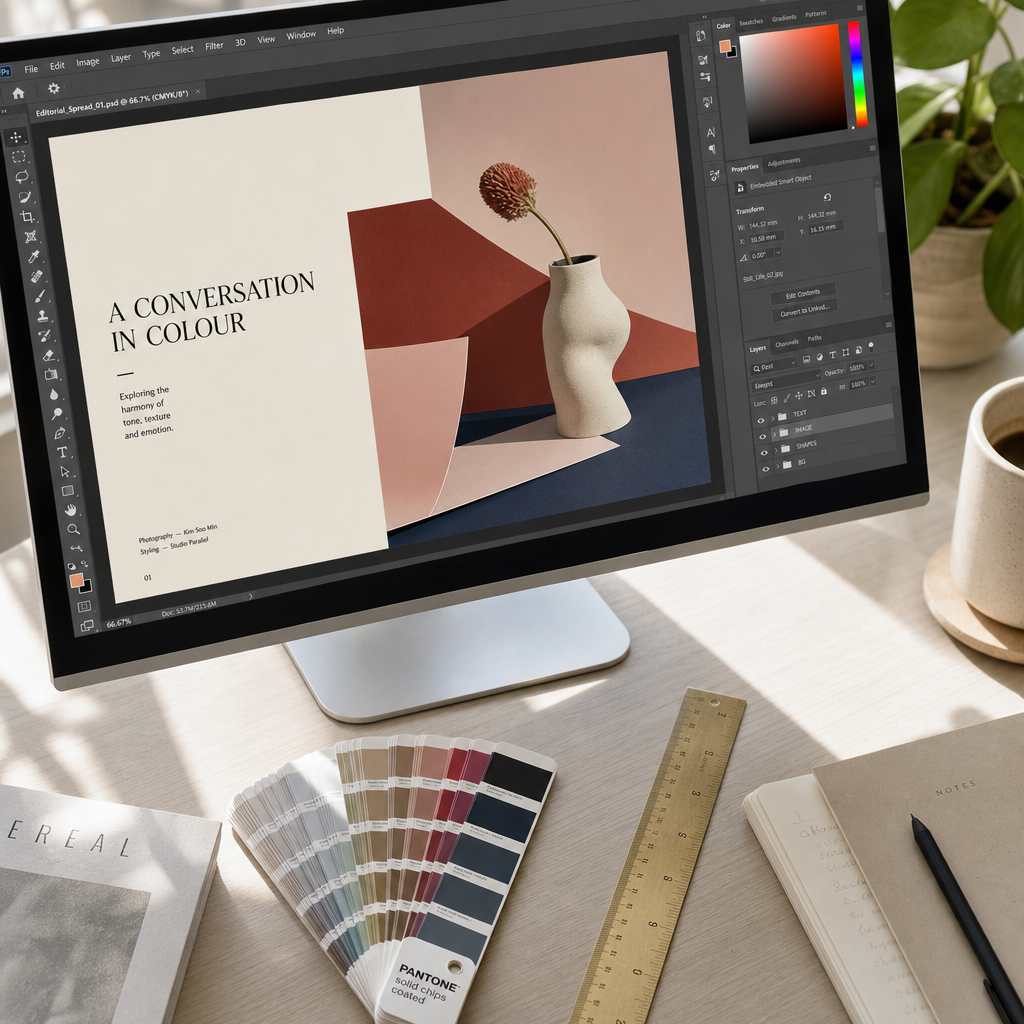
The quality of your finished garment begins entirely with your artwork file. This is where most problems originate, and it is also the stage that customers have the most direct control over.
Vector vs Raster: Which File Type to Submit
Vector files (AI, EPS, SVG, PDF) are the gold standard for DTF artwork because they are resolution-independent. You can scale a vector logo to any size without any loss of sharpness. Raster files (JPG, PNG, PSD) are acceptable but only if supplied at the correct resolution. The minimum is 300 DPI at the final print dimensions. A common mistake is submitting a PNG that looks sharp on screen because screens display at 72-96 DPI, while the same file at print size is far too low resolution to produce clean edges.
Transparent backgrounds are essential for raster files used in DTF. A white background on a PNG will print as a white rectangle around your design. Always supply PNG files with a transparent background or clearly communicate the intended background handling to your printer.
Colour Profiles and Artwork Preparation
DTF printers operate in CMYK colour space, but they also print white ink as a separate channel. If your artwork is in RGB (as most screen-designed files are), the printer's RIP software will convert it. In practice, this conversion can shift certain neon or highly saturated colours. If colour accuracy is critical for your brand, request a proof print before committing to a full order.
Pro tip: When supplying artwork for dark garments, do not add a white background manually in your design file. The DTF process automatically generates a white ink underbase from the artwork's alpha channel. Adding your own white layer will result in a hard white border that looks unprofessional.
The DTF Printing Stage: Ink Layers and Film
Once the artwork file is prepared and approved, it goes into RIP (Raster Image Processing) software. This software interprets the design and generates separate print channels including cyan, magenta, yellow, black, and critically, white. The print order in DTF is the reverse of what you might expect: white ink is printed first, then the colour layers on top.
The film used is a clear PET (polyethylene terephthalate) sheet with a release coating. The ink bonds to this coating during printing and later releases cleanly during the heat press stage. The printer passes the film through multiple times to build up ink layers, with the print head depositing ink in precise droplet patterns.
Why White Ink Comes First
The white ink layer serves as a reflective base. Without it, colours applied directly to dark fabric would be absorbed and appear muddy or invisible. Printing white first and then CMYK colours on top means the final result is vibrant regardless of the garment colour. This is what makes DTF transfer printing fundamentally different from standard sublimation, which only works on white or very light polyester.
The white ink layer thickness is also where printers differentiate quality. Thinner white layers reduce cost but can make colours appear washed out. Psyque's in-house process uses full white ink coverage to ensure the bold, opaque results that workwear and branded merchandise require.
"The quality of a DTF print is overwhelmingly determined by the white ink layer and adhesive cure. Every other variable is secondary." - Experienced DTF production specialist, summarising industry best practice from the FESPA Global Print Expo 2023 technical sessions.
Powder Adhesive and Curing: The Step Most People Overlook
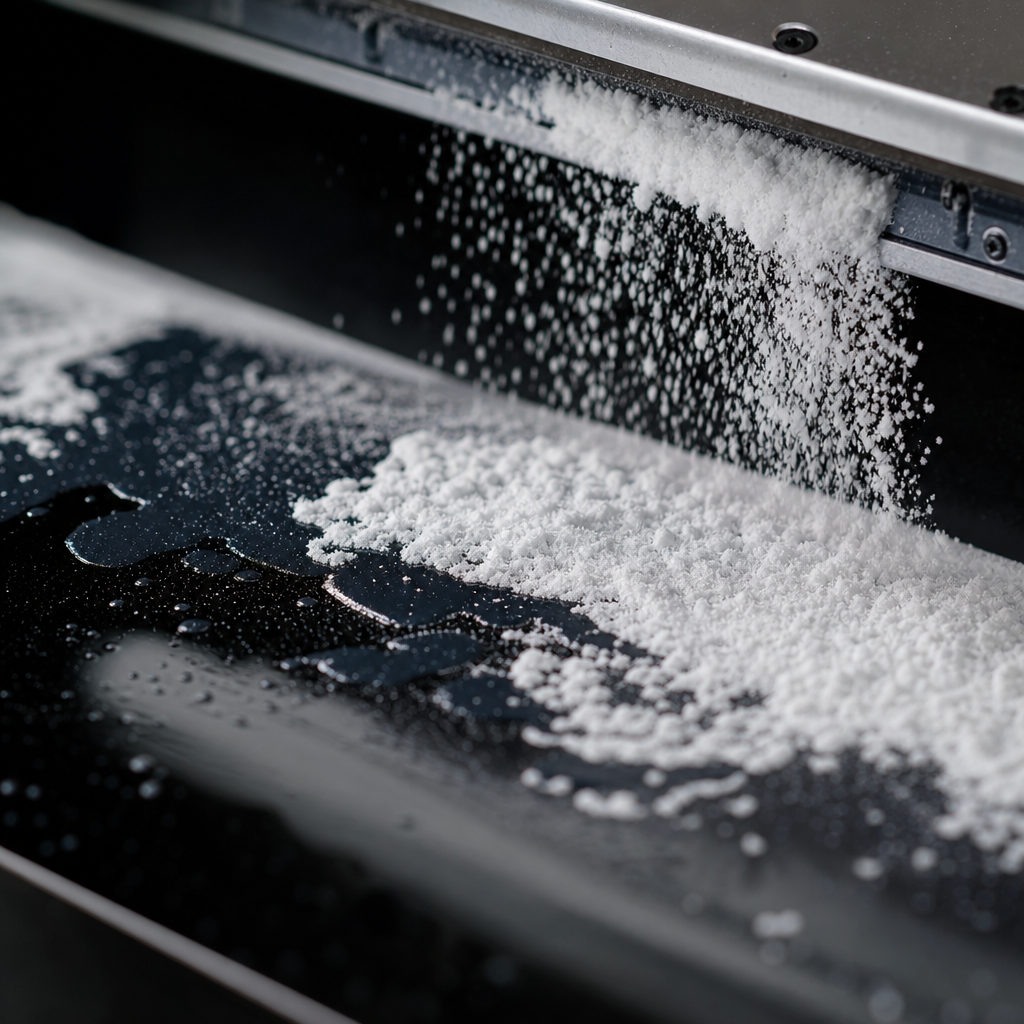
Immediately after printing, while the ink is still wet, the film passes through a powder application unit. Hot-melt adhesive powder is applied evenly across the printed surface. This powder is what will eventually bond the ink to the fabric fibres under heat and pressure. If this step is rushed or uneven, the finished garment will peel at edges or lose adhesion after a few washes.
After powder application, the film goes into a curing oven or passes under an infrared heating unit. The curing temperature is typically between 130 and 160 degrees Celsius, and the dwell time is calibrated precisely. This melts the powder into a uniform adhesive layer without over-curing, which would make the adhesive brittle.
Pro tip: Excess powder shaken off before curing should always be recaptured and reused. Powder waste is one of the few controllable cost variables in DTF production, and professional operations like Psyque use closed-loop powder recirculation systems to maintain consistency and reduce waste.
The cured transfer can now be stored on rolls or sheets at room temperature before pressing. This is one of the operational advantages of DTF over DTG: transfers can be pre-produced in bulk and held until order fulfillment, which supports faster dispatch on large workwear bundle orders.
Heat Pressing the Transfer onto Your Garment
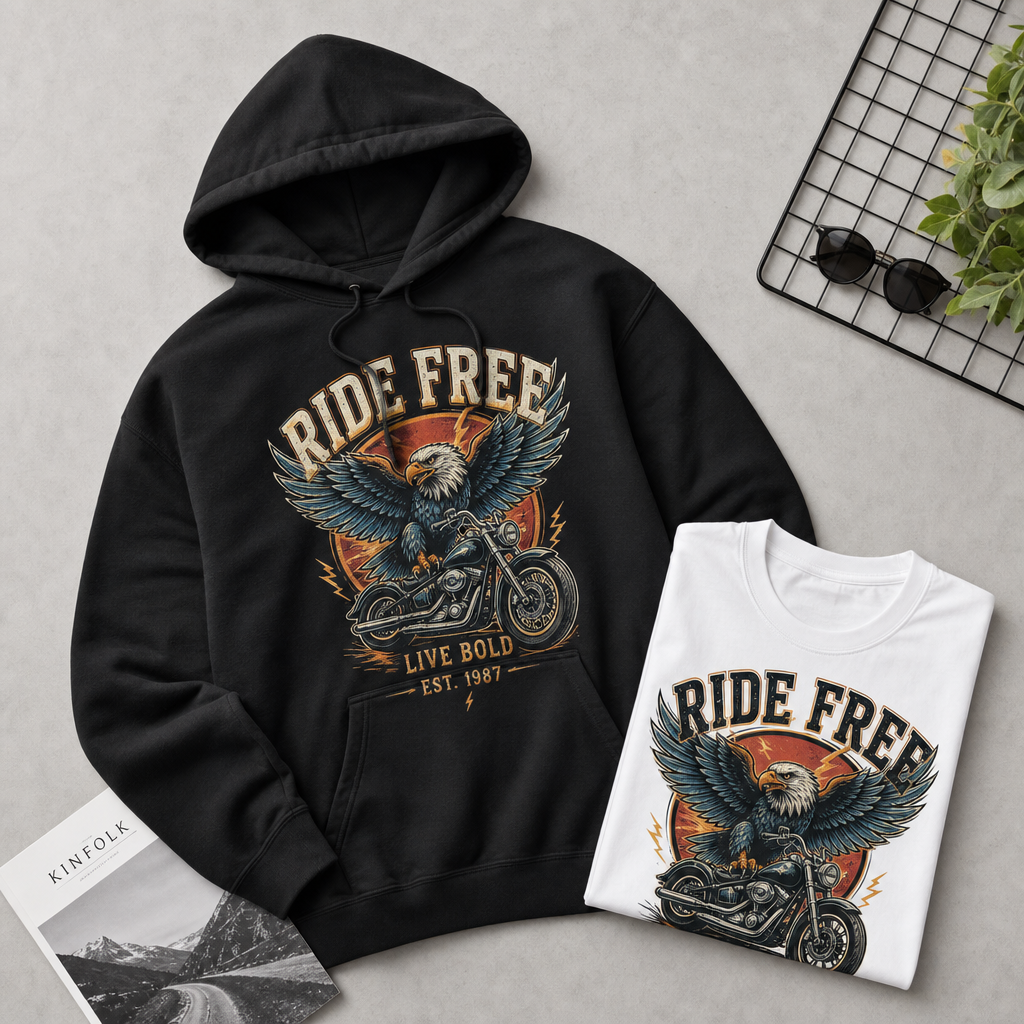
The heat press stage is where the transfer leaves the film and permanently bonds to the garment. The garment is placed on the lower platen of the heat press, the transfer is positioned ink-side down, and the press applies a combination of heat, pressure, and time.
Temperature, Pressure, and Dwell Time
Standard DTF pressing parameters are typically 160 to 170 degrees Celsius, medium-to-firm pressure, for 10 to 15 seconds. These settings vary by garment fabric. A heavy 400gsm hoodie retains heat differently than a lightweight 140gsm polyester polo, so experienced press operators adjust accordingly. Pressing at too low a temperature results in poor adhesion. Too high and you risk scorching the fabric or making the adhesive brittle.
After the initial press, the film is peeled away from the garment. Some DTF transfers are designed for hot peel (removing the film immediately while still hot) and others for cold peel (waiting until the garment cools). The adhesive and ink formulation determines which method applies. Using the wrong peel method is a common cause of transfer failure in lower-quality operations.
Second Press for Finish Quality
Professional DTF operations typically perform a second press after peeling. This second press, usually through a silicone sheet or parchment paper, locks the print surface, reduces any texture from the adhesive layer, and improves the overall hand feel of the finished garment. It is a small step that makes a visible and tactile difference, particularly on workwear that will be worn daily.
Comparing DTF to Other Printing Methods
Understanding where DTF fits among available decoration methods helps you make the right choice for your specific use case, whether that is a set of branded polos for a trade show or a run of custom hoodies for a sports team.
| Method | Best For | Key Limitation |
|---|---|---|
| DTF Transfer | Small to medium runs, full-colour designs, dark garments, mixed fabric types, fast turnaround workwear bundles | Very large print areas (over A3) require careful film management; not ideal for single-colour simple designs at high volume where screen print cost per unit is lower |
| Screen Printing | Very large runs of the same design, single or limited colour designs, low per-unit cost at scale | High setup cost (screens per colour), minimum order quantities typically required, colour changes are expensive, not suitable for photographic or gradient designs |
| Direct to Garment (DTG) | One-off or very short runs, highly detailed photographic prints on 100% cotton, on-demand fulfilment | Requires pre-treatment on dark garments, slower throughput, wash durability lower than DTF without careful pre-treatment, limited fabric compatibility |
For the types of orders Psyque handles, including workwear bundles for tradespeople, event t-shirts for groups, and branded merchandise for small businesses, DTF consistently outperforms the alternatives on the combination of turnaround speed, colour fidelity, and wash durability across mixed garment types.
Wash Durability and Care for DTF Printed Garments
A well-produced DTF transfer on a quality garment, pressed correctly at the right temperature, will typically withstand 40 to 50 wash cycles without significant fading or edge lifting when cared for properly. Industry testing by garment decoration specialists consistently shows that the adhesive bond quality is the primary determinant of longevity, not the ink itself.
The care instructions for DTF printed garments are straightforward. Wash inside out at 30 to 40 degrees Celsius. Avoid tumble drying on high heat, as sustained high temperatures can soften the adhesive layer over time. Do not iron directly on the print surface. These are not unusual restrictions and are entirely compatible with standard workwear laundering.
A common mistake businesses make when evaluating print durability is testing garments immediately after pressing and comparing them to garments that have been through ten washes. The adhesive continues to cure and bond to fabric fibres in the 24 to 48 hours after pressing, so wash results improve slightly after initial curing is complete. Testing wash durability on a freshly pressed garment gives an unfairly negative result.
Pro tip: If you are ordering workwear that will be laundered commercially rather than domestically, inform your printer. Commercial laundry machines typically run at higher temperatures and use stronger detergents. Psyque can advise on garment and adhesive combinations that hold up better under these conditions.
Frequently Asked Questions
What file format should I send for a DTF print order?
The best formats are vector files (AI, PDF, EPS) or high-resolution PNG files at 300 DPI with a transparent background. JPEG files are acceptable for photographic prints but should still be at 300 DPI at the intended print size. Never send a file exported from a website or social media platform as these are compressed to 72 DPI and will not produce a sharp print.
Can DTF transfers be applied to any colour of garment?
Yes. Because DTF printing includes a white ink underbase layer, the transfer is fully opaque and will show accurate colours on black, navy, red, or any other garment colour. This is one of the key practical advantages over sublimation printing, which only works on white or very pale garments.
How long does a DTF print last through washing?
A correctly pressed DTF transfer on a quality garment typically lasts 40 to 50 wash cycles before any visible degradation occurs, provided the garment is washed inside out at 40 degrees or below and not tumble dried on high heat. The quality of the adhesive powder and the pressing conditions are the primary factors determining wash longevity, not the ink type.
Is there a minimum order quantity for DTF printed clothing at Psyque?
DTF printing does not require the same setup costs as screen printing, so minimum order quantities can be significantly lower. Psyque offers custom printed garments for small businesses and event organisers who may need as few as five to ten items. Checking the current product pages on psyque.co.uk will give you the most accurate information on available quantities and bundle pricing.
Why does my DTF print feel slightly raised compared to screen printing?
DTF prints have a thin adhesive layer between the ink and the fabric, which creates a very slight raised texture. This is normal and not a defect. A professional second press after peeling reduces this texture considerably. The hand feel of a well-finished DTF print is softer and less rubbery than many people expect, particularly on garments that have been through a few washes after the adhesive fully bonds to the fibres.
Can DTF transfers be applied to promotional items other than clothing?
DTF transfers can be applied to any surface that tolerates the heat press temperature and has sufficient fabric or textile content for the adhesive to bond. This includes tote bags, caps with fabric crowns, aprons, and canvas accessories. Hard surfaces like mugs or phone cases require different decoration methods. For branded merchandise beyond garments, it is worth discussing your specific items with the Psyque team directly.
If you have placed a DTF print order recently or are comparing it to other methods for your business, share what mattered most to you in the decision and what results you got.
We would love your feedback and any insights you would share with others. What perspective would you add?
References
- Forbes business coverage on custom merchandise and branded apparel market trends
- Statista market data on the global custom apparel and garment printing industry
- UK Government business support resources for small business owners and entrepreneurs
- UK Health and Safety Executive guidance relevant to commercial textile and printing operations
- Ahrefs marketing blog covering content and SEO strategies relevant to e-commerce and print businesses